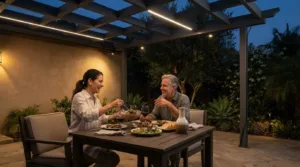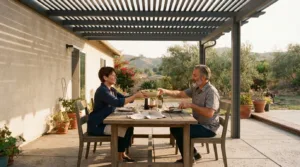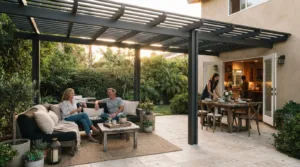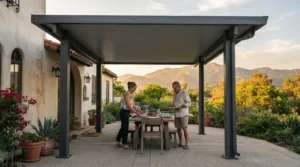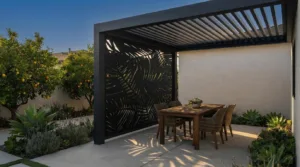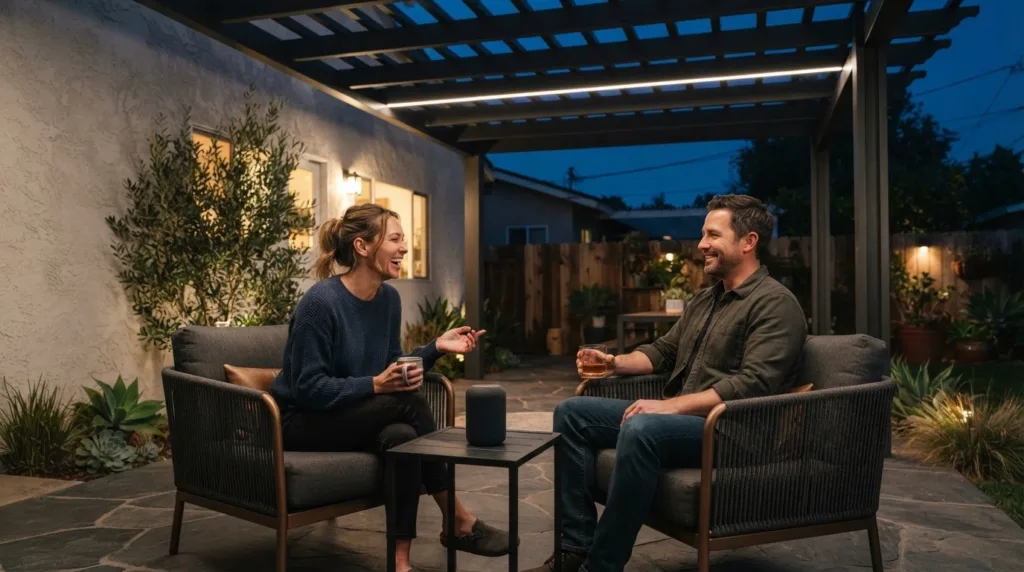
A beautifully lit patio should feel effortless, not like another system to manage. Smart home integrated patio lighting connects LED fixtures with compatible controls, letting you adjust brightness and set schedules for a comfortable, considered outdoor space.
It’s easy to see the appeal: lighting can shape the atmosphere and make a patio more practical after dark. Choose LED fixtures and dimming controls that work together, then plan the installation around the layout and how you use the space.
This guide explains how smart patio lighting works, how brightness and schedules are controlled, and what to consider when planning LED dimming and installation. Elite L.A. Patios offers integrated LED lighting with its outdoor structures, including aluminum patio covers, helping homeowners bring illumination into a cohesive patio design. You’ll find the essentials for understanding the system and deciding which details matter for your setting.
Key Takeaways
- Learn how brightness, color settings, and schedules can shape different patio activities.
- Understand the roles smartphones, tablets, and voice assistants can play in lighting control.
- See why LED dimming depends on compatible components working together.
- Recognize how fixture placement and mounting choices affect a cohesive outdoor lighting plan.
- Explore how integrated LED lighting can complement a 4K Aluminum lattice patio cover.
Brightness, color, and schedule adjustments
Outdoor lighting controls can shape a patio for dining, reading, or quiet evenings. Focus on light levels, the color settings available, and schedules that suit how you use the space.
Brightness adjustments
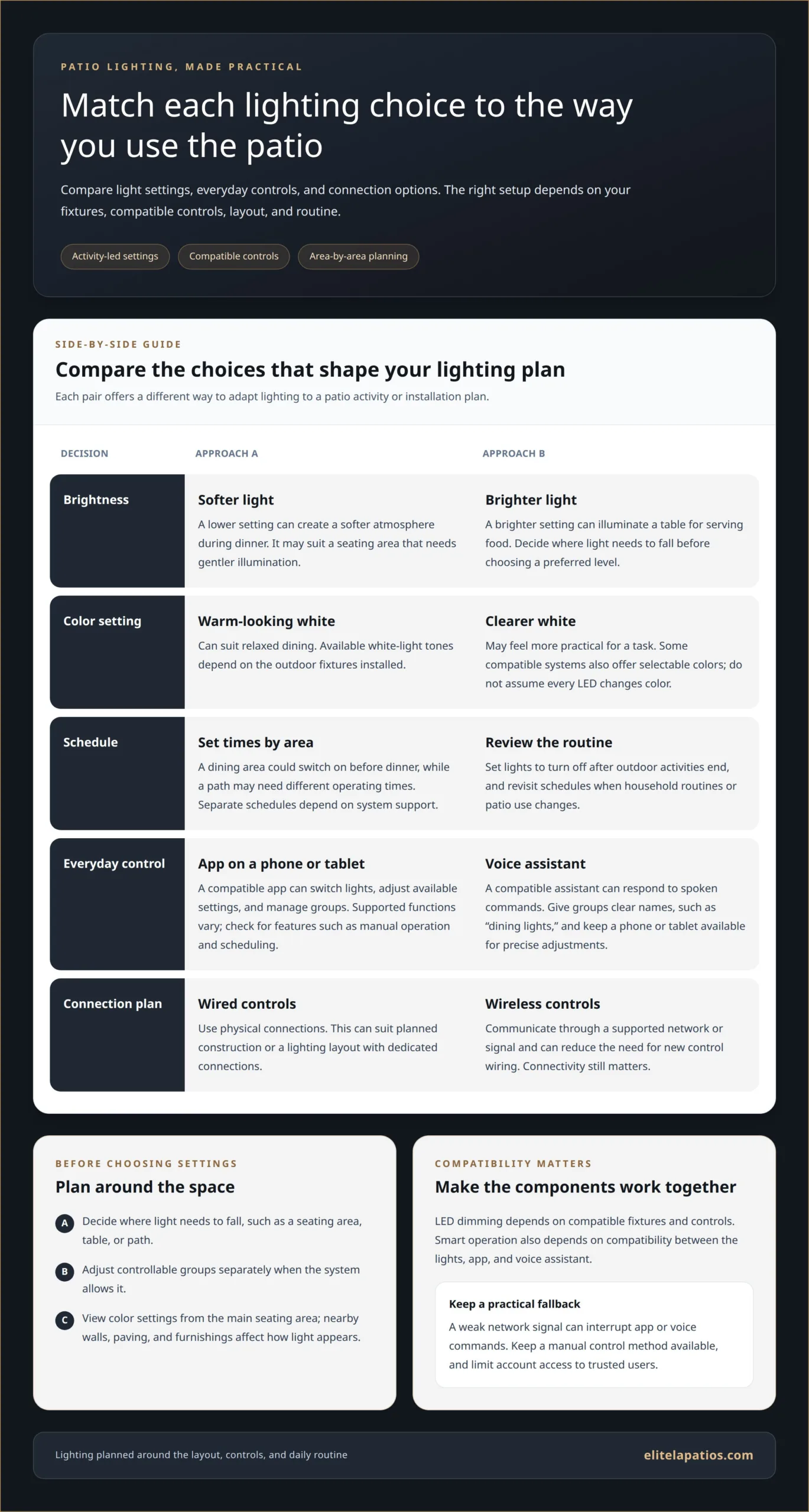
Use the control’s dimmer or brightness setting to tailor light to the activity. A lower setting can create a softer atmosphere at dinner, while a brighter setting can illuminate the table for serving food. The usable range depends on the fixtures and controls installed.
Decide where light needs to fall before choosing a preferred level. A seating area, for instance, may need gentler illumination than a path across the patio. Adjust each controllable group separately when the system allows it. That way, every area does not have to be equally bright when the patio serves several purposes.
Color adjustments
Color control varies by fixture. Some outdoor lights offer a choice of white-light tones, while other compatible systems may provide selectable colors. Use the settings supported by the installed equipment rather than assuming every LED changes color. A warm-looking white can suit relaxed dining; a clearer white may feel more practical for a task.
Try one setting at a time and view it from the patio’s main seating area. Nearby walls, paving, and furnishings affect how light appears. If separate lighting groups support different color settings, consider how they look together. Aim for a coherent scene, not a collection of individually striking colors.
Lighting schedules
Schedules automate a lighting routine through a compatible control system. For example, set patio lights to switch on before dinner and turn off after outdoor activities end. Match the schedule to your household routine and how each patio area is used, rather than running every fixture for the same period.
Review schedules when routines change, such as when you start dining outdoors or use the patio less often. If the control system supports separate schedules for lighting groups, give each area a purpose. A path and dining space may need different operating times. This keeps the routine intentional and makes manual adjustments easier when plans change.
Smartphone, tablet, and voice-assistant controls
Smart outdoor lighting can respond to touch controls or spoken commands. The right setup depends on compatible equipment, reliable connectivity, and the controls you’ll use most.
Smartphone and tablet controls
A smartphone or tablet can provide a central interface for compatible patio lights. Use its app to switch lights on, choose a setting, or adjust an available control group. Separate controls, for example, make it easier to manage the dining area and a nearby walkway independently.
Before choosing a system, consider who will use it and where. A phone is convenient for quick adjustments from a seat, while a tablet can provide a larger control display at home. Confirm that the app supports the lighting equipment and functions you need, such as manual operation and scheduling.
Voice-assistant controls
A compatible voice assistant can operate smart outdoor lighting through spoken commands. Asking it to turn on the patio lights can be useful when you’re carrying dinner outside. Named lighting groups also make commands clearer: “turn on dining lights” is more specific than “turn on everything.”
Voice control depends on compatibility between the assistant, app, and lights. Give each group a clear name, then test commands where you plan to use them. A phone or tablet remains useful when speaking aloud is inconvenient or a setting needs precise adjustment.
The best smart home integrated patio lighting system works with your chosen lights, controls, and household devices. Compare app functions, voice-assistant compatibility, and support for separate lighting groups before choosing a setup.
Wired controls use physical connections, while wireless controls communicate through a supported network or signal. Wired installation can suit planned construction or a lighting layout with dedicated connections; wireless controls can reduce the need for new control wiring. The practical choice depends on the existing setup, installation plan, and connectivity required.
Smart patio lighting costs depend on the fixtures, control equipment, wiring, and installation needs. The price depends on the case and is provided after a quote request.
Connectivity and security risks include a weak network signal, exposed account credentials, or unauthorized access to controls. Use a strong, unique password for the lighting account, secure your home network, and limit access to trusted users. If the connection drops, app or voice commands may not respond as expected.
For a more dependable routine, give each light group a clear name, use compatible controls, and keep a manual control method available. These steps make phone, tablet, and voice operation easier to manage during everyday patio activities.
App and voice control
App and voice controls offer different ways to operate connected patio lights. Their usefulness depends on compatible equipment, a clear setup, and commands that fit everyday routines.
App-based control
A lighting app provides a visual control panel for connected fixtures. Start by giving lighting groups clear names, such as “dining area” and “garden path.” Then use the available controls to switch a group on or off, select a scene, or adjust its settings. An organized screen makes these actions easier to repeat.
Review the app’s supported functions before choosing a system. One app may offer group controls, for example, while another may include schedules or saved scenes. Check how it handles a lost connection, too. Knowing whether local controls remain usable helps you plan a practical fallback.
Voice-based control
Voice control turns a spoken request into an action through a compatible assistant and lighting system. Give each group a distinct name, then use a straightforward phrase such as “turn on the patio lights.” Avoid similar names for separate areas, which can make commands less precise.
Test commands in the places where you expect to use them. At the dining table, a short request to dim the dining lights may be more convenient than opening an app. Keep the app available for settings that require visual selection or precise adjustment.
Setup works best as a deliberate sequence. First, connect the lighting controls according to the system’s instructions. Add the relevant lights to the app and organize them by area. Then connect a compatible voice assistant, if desired, and test each group separately. A patio scene should activate the intended lights, not nearby groups with similar labels.
Consider shared use before finalizing names and controls. Someone arriving with groceries may prefer a simple voice command, while someone seated outside may choose the app. Consistent group labels make both methods easier to understand. For example, use “entry path” in the app and the same phrase in spoken commands.
Control design also affects day-to-day reliability. Keep frequently used actions easy to find and avoid overlapping scene names. If a command activates the wrong lights, rename the groups and test again. Clear labels, compatible devices, and an app-based fallback make connected outdoor lighting simpler to use.
Energy-efficient LED lighting and dimming
LED choices affect energy use, light quality, and control compatibility. For patio fixtures, choose an ingress-protection rating suited to their location and exposure. A sheltered ceiling and an exposed area face different weather conditions, so match each fixture’s weather protection to its setting.
Energy-efficient LED lighting
LEDs produce light using less electricity than comparable incandescent lighting. To compare options, read the package’s lumen and wattage information, then consider the light needed for each area. For example, task lighting over a dining table serves a different purpose from subtle illumination along a boundary.
Placement matters as much as bulb choice. A fixture aimed at a seating surface can provide useful illumination without lighting the entire patio unnecessarily. For integrated lighting, consider how the LED fixtures fit within the structure and whether their light distribution suits the patio layout.
Lighting dimming
Dimming gives you control over light output, but LED fixtures, drivers, and dimmers must be compatible. A mismatch can cause flickering, limit adjustment, or prevent lights from dimming as expected. Confirm compatibility across the complete setup before choosing controls, rather than treating the dimmer as a universal component.
Test dimming across the intended range after installation. Set the lights to a low level for a quiet evening, for instance, then raise them for food preparation. If the output jumps, flickers, or switches off before reaching the desired setting, review the driver and dimmer combination for compatibility.
Energy performance depends on fixture selection and everyday use. Compare lumen output to understand how much visible light different options provide, and consider wattage when assessing electrical demand. Position fixtures for specific tasks instead of relying on excessive brightness to make up for poor placement.
For outdoor installations, check the product label and manufacturer instructions for the fixture’s protection rating and permitted environment. Consider whether its location is sheltered, exposed to rain, or subject to splashing. A suitable rating matches the fixture to those conditions, while proper mounting and sealed connections support the intended installation.
A considered LED plan pairs efficient fixtures with compatible dimming and appropriate weather protection. A dining area may need adjustable task lighting, while a covered seating area may call for softer illumination. Match each fixture’s output, placement, controls, and exposure to create a cohesive system for patio use.
Installation and mounting
A successful patio lighting installation starts with a clear layout, suitable fixture locations, and a plan for wiring and controls. Account for the structure, weather exposure, and intended use in every decision.
Installation planning
Begin by mapping the patio’s main areas, such as dining, seating, and pathways. Mark where each fixture should direct light, then plan how its wiring will reach power and control points. This layout helps prevent uneven coverage and unnecessary visual clutter.
Next, consider the mounting surface, weather exposure, and access for future maintenance. A fixture beneath a roof faces different conditions from one beside an open walkway. Record these differences in the installation plan, along with the locations of switches, drivers, and other control components.
Light mounting
Mounting choices depend on the surface and fixture design. A ceiling-mounted light can illuminate a dining table, while a wall-mounted fixture may suit a perimeter or entrance. Aim each fixture at its intended area, avoiding glare in seated guests’ eyes or into neighboring spaces.
Use mounting hardware suited to the surface and follow the fixture manufacturer’s installation instructions. Plan wire paths before fixing the lights in place, and protect connections from the elements. On a covered patio, align fixtures with the structure for a clean appearance and practical access.
Electrical codes and permit requirements can vary by location and project scope. Confirm the local requirements that apply before work begins, particularly if the project adds wiring or changes existing electrical connections.
During installation, align lighting zones and controls with the layout. Fixtures over a dining area, for example, can be grouped separately from pathway lights. This makes controls easier to use and supports different needs without changing where the fixtures are mounted.
Before completing the work, test each fixture and control group. Confirm that switches operate the intended lights, dimming responds as expected, and connections remain protected. Check the view from key positions, including the dining table and patio entrance, to identify glare or dark areas.
For a retrofit, compare existing wiring and mounting surfaces with the proposed fixture locations. For new construction, coordinate light placement with the patio structure before installation. In either case, documenting fixture positions and control zones provides a useful reference for maintenance and future adjustments.
Elite L.A. Patios: 4K Aluminum lattice patio cover
Elite L.A. Patios is a natural next step when you’re planning a patio structure and integrated lighting as one considered outdoor project. The company designs and installs outdoor structures that help homeowners shape a setting around how they use the space, from quiet evenings to outdoor dining.
A 4K Aluminum lattice patio cover can be part of a plan that pairs a patio structure with integrated LED lighting. Consider this option when you want the cover and illumination addressed together in the design. Think about where you sit, dine, or move through the patio, and how lighting could support those activities. The 4K Aluminum product line gives context for the available structure options.
Other permitted structures can suit different project priorities. A 4K Aluminum solid twin wall, 4K Aluminum Cantilever, or 4K Aluminum insulated Solid Roof may be relevant when you’re considering alternatives to a lattice cover. The right choice depends on the patio design you have in mind and how the structure should relate to the home. Integrated LED lighting can be considered as part of the broader outdoor design.
Before planning, identify the areas you want to illuminate and the atmosphere you’d like to create. A dining area, for example, may need a different lighting arrangement from a passage through the patio. Sharing these priorities helps guide decisions about the structure, fixture placement, and how the space should function. The result can bring practical use and visual character together in a cohesive plan.
For homeowners in the Los Angeles area, Elite L.A. Patios designs and installs premium 4K Aluminum outdoor structures and features. This is a fitting next step when you’re ready to explore a lattice cover, another listed structure, or integrated LED lighting within a patio project. The conversation can begin with your layout, intended uses, and design preferences, without assuming one configuration suits every home.
To discuss your patio plans, contact Elite L.A. Patios.
Frequently Asked Questions
What is smart outdoor lighting?
Smart outdoor lighting lets connected exterior fixtures respond to digital controls, such as an app, voice assistant, or automation. With smart home integrated patio lighting, you can manage connected lights as part of a broader home setup. For example, a patio light group can operate separately from indoor lights. Available functions depend on the fixtures, controller, and compatible devices selected.
What types of smart lighting are suitable for patios, decks, and pergolas?
Suitable options include integrated LED fixtures, compatible outdoor-rated lights, and connected controls designed for the installation. For a pergola, integrated lighting can keep fixtures visually aligned with the structure. A deck might instead use separate fixtures positioned for seating or circulation. Choose products according to their intended outdoor use, mounting location, light distribution, and compatibility with the control system.
How do you install and connect smart patio lights to a home network?
Plan fixture locations and electrical connections first, then install compatible lights and controls according to the manufacturer’s instructions. Add the controller or fixtures through the designated app, connect them to the home network as directed, and give each lighting group a clear name. Test commands from the patio and inside the home. Network signal strength and device compatibility affect how reliably connected controls respond.
How much energy do smart LED patio lights use?
Energy use depends on each fixture’s wattage and operating time. To estimate consumption, multiply a light’s wattage by its hours of use, then account for the number of fixtures. A light used less often consumes less energy than the same fixture left on longer. Dimming may reduce power use, but the amount depends on the LED and compatible dimming equipment.
How can smart patio lighting be automated with schedules, motion sensors, and scenes?
Use a compatible app or controller to create schedules, scenes, or motion-triggered actions when the system supports them. A scene groups selected lights for an activity, while a schedule runs a routine at chosen times. Motion sensors can trigger lighting when movement occurs within their detection area. Set automations to suit the patio layout, usage, and installed controls.
What are the safety rules for outdoor patio lighting installation in the United States?
Use lighting and electrical components intended for their outdoor locations, and follow the manufacturer’s installation instructions. Protect connections as directed, and have electrical work handled by a qualified professional when needed. Code and permit requirements depend on the project and local jurisdiction, so identify the applicable rules before installation. This matters across Los Angeles County, Orange County, Ventura County, and San Diego County.
What are the best smart home integrated patio lighting systems?
Choose a system compatible with your lights, controls, and household devices. Compare app functions, voice-assistant compatibility, and support for managing separate lighting groups.
How much do smart patio lighting systems cost?
Costs depend on the fixtures, control equipment, wiring, and installation needs; a price is provided after a quote request. The page also advertises a 30% off promotion from November 25 through December 2.